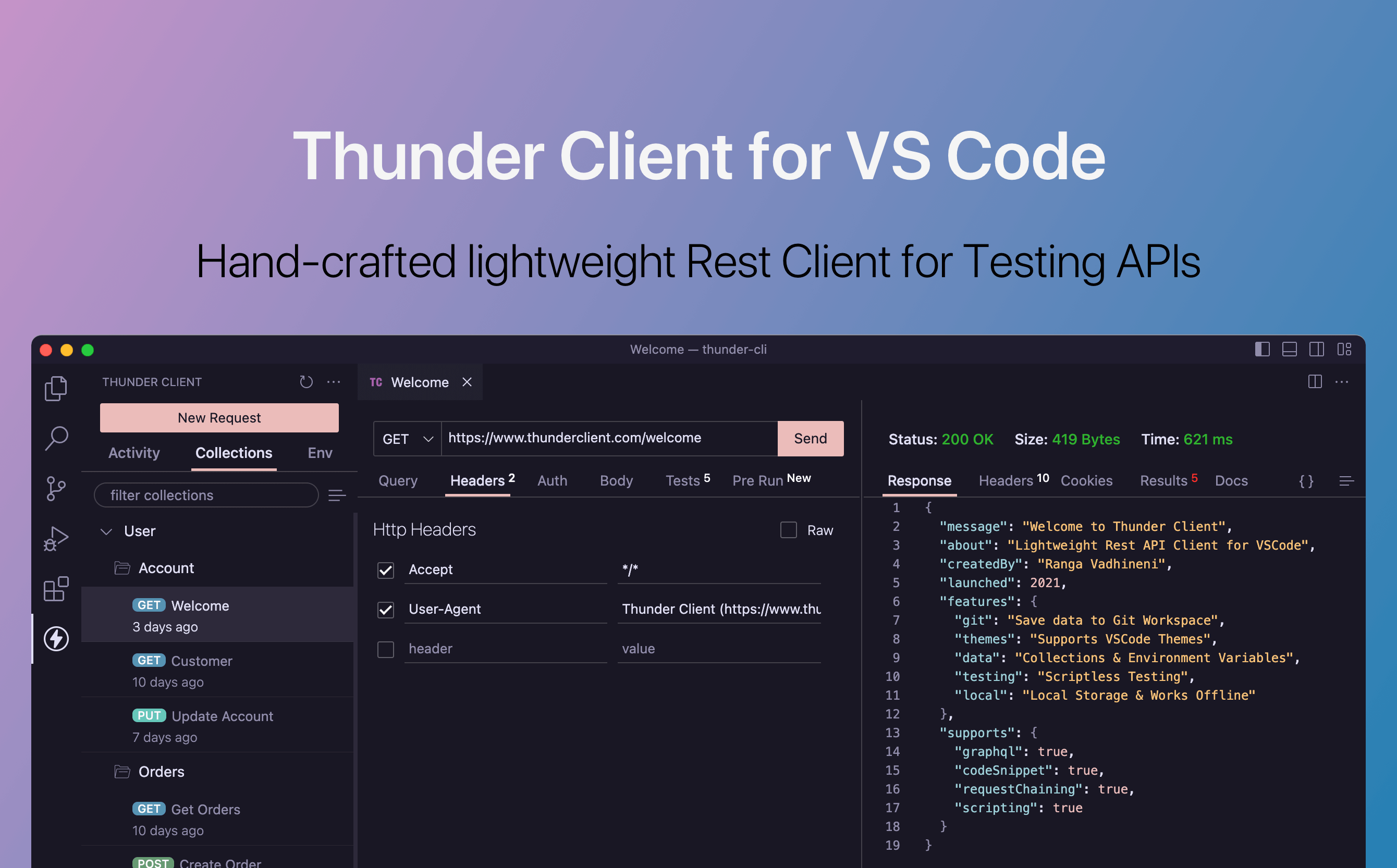

Thunder Client is a lightweight REST API client that operates as a Visual Studio Code extension, enabling developers to test and debug APIs without leaving their code editor. It provides a clean, Postman-like interface embedded directly within VS Code's sidebar, eliminating the need for a separate desktop application for API testing.
Thunder Client's primary advantage is its integration into the development environment. Developers can write code and test API endpoints in the same window, switching between implementation and API testing without context switching to a separate application. The extension supports HTTP methods, query parameters, headers, body types (JSON, form data, XML, binary), and authentication schemes including Bearer tokens, Basic auth, OAuth 2.0, and API keys. Request collections organize related API calls into folders, and environment variables allow switching between different server configurations. Test scripts can validate response status codes, headers, and body content, enabling automated API testing within the development workflow. A notable feature is Git-friendly storage: collections and environments are saved as JSON files in the project directory, which can be committed to version control and shared with team members through standard Git workflows.
Thunder Client is best suited for individual developers and small teams who work primarily in VS Code and want a streamlined API testing tool that does not require a separate application. It is particularly appealing to developers who find Postman's desktop application too heavy or feature-bloated for their needs. Backend developers, full-stack engineers, and anyone building or consuming REST APIs during their regular development work will find Thunder Client a practical addition to their VS Code setup.
The free version of Thunder Client includes core features like request sending, collections, environments, and basic testing. The paid plan at $8.33 per month (billed annually) adds features like Git sync for cloud-based collaboration, advanced scripting, custom themes, and team workspaces. Import functionality supports migrating existing collections from Postman, Insomnia, and OpenAPI specifications, making it easy to switch from other API clients. The main limitation is that Thunder Client is exclusive to VS Code, so developers using other editors like JetBrains IDEs, Vim, or Zed will need alternative tools.
Last updated: July 2026
Key Features
- REST API testing inside VS Code
- Environment variables and request collections
- Test scripting for automated validation
- Git-friendly JSON file storage
- GraphQL support
- Import from Postman, Insomnia, and OpenAPI
Pros
- + No context switching — API testing in your editor
- + Lightweight and fast compared to desktop apps
- + Git-friendly file storage for team collaboration
- + Easy migration from Postman with import feature
Cons
- − Less feature-rich than Postman for complex workflows
- − Advanced features require paid plan
- − VS Code only — not available in other editors
User Reviews
★
★
★
★
★
3.3 from 3 reviews
DR
David Rodriguez
★
★
★
★
★
been on it about 4 months. definitely improved my workflow. mock servers is great, test org not so much
Mar 27, 2026
JH
Jake Harris
★
★
★
★
★
using it alongside my regular setup for team collab. it adds real value, just has some rough edges with variable substitution
Mar 23, 2026
PS
Patrick S.
★
★
★
★
★
tried it for a month. documentation is solid but I found websocket handling hard to deal with. might come back later when they improve it
Jan 09, 2026
Compare Thunder Client






Looking for something different?
View Thunder Client Alternatives →