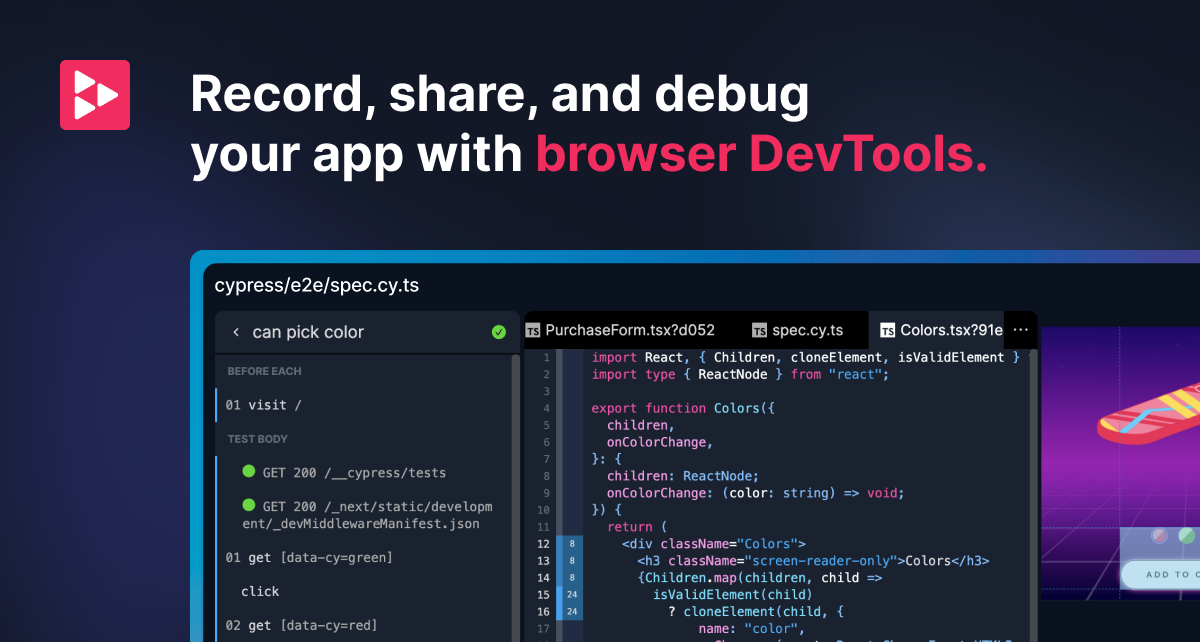

Replay.io is a time-travel debugging platform that allows developers to record browser sessions and replay them with full debugging capabilities, making even the most elusive intermittent bugs reproducible and fixable. Instead of trying to reproduce a bug in real time, developers can record a session once and then step through every moment of execution at their own pace.
The core capability of Replay.io is deterministic recording. When you record a browser session, Replay captures every piece of state, every network request, every DOM mutation, and every line of JavaScript that executed. You can then open that recording and debug it as if the bug were happening live. The standout feature is retroactive console logs -- you can add print statements to any point in the recorded execution without re-running the session. This alone eliminates the tedious cycle of adding logs, reproducing, and checking output that characterizes traditional debugging. Developers can also set breakpoints, inspect variables at any point in time, and step both forward and backward through the code execution timeline.
Replay.io is particularly effective for debugging flaky tests, a persistent pain point for engineering teams. When integrated with testing frameworks like Cypress or Playwright, Replay can record every test run, making it straightforward to investigate why a test passed on one run and failed on the next. The collaborative aspect is also notable -- recordings can be shared with team members via a link, which means a QA engineer can capture a bug and a developer can debug it without needing to reproduce it themselves. This dramatically reduces the back-and-forth that typically occurs during bug triage.
Replay.io is best suited for frontend developers and QA engineers working on web applications, especially teams that struggle with intermittent bugs or flaky test suites. It is most useful for organizations where debugging time is a significant bottleneck. The tool offers a free tier for individual use and open-source projects, with paid team plans available that include additional collaboration features, higher recording limits, and priority support. The recording does introduce some performance overhead in the browser, and the tool is currently limited to browser-based JavaScript applications, so backend or mobile developers will not find it applicable to their workflows.
Last updated: July 2026
Key Features
- Record and replay browser sessions deterministically
- Time-travel debugging with retroactive console logs
- Step backwards and forwards through code execution
- Inspect variables at any point in recorded execution
- Share replays with team for collaborative debugging
- Integration with testing frameworks for flaky test debugging
Pros
- + Makes intermittent and hard-to-reproduce bugs trivial to debug
- + Retroactive console logs are revolutionary for debugging
- + Team sharing enables collaborative debugging
- + Excellent for debugging flaky tests
Cons
- − Recording overhead can slow down the browser
- − Limited to browser-based applications
- − Learning curve to master time-travel debugging workflow
User Reviews
★
★
★
★
★
3.6 from 4 reviews
DP
Derek Petrov
★
★
★
★
★
ok for basic prod debugging but starts to struggle with anything complex. setup complexity was a dealbreaker for my team
Dec 27, 2025
2 found this helpful
PT
Priya Taylor
★
★
★
★
★
pretty good. saves me time on tracking down bugs most days. the error detection feature is the main reason I stick around
Feb 13, 2026
MM
Maya Martin
★
★
★
★
★
using it alongside my regular setup for tracking down bugs. it adds real value, just has some rough edges with noisy reports
Jan 18, 2026
AK
Alex Kim
★
★
★
★
★
does what I need for prod debugging. not perfect — noisy reports can be annoying — but the core is strong
Jan 05, 2026
Related Guides
Compare Replay.io





Looking for something different?
View Replay.io Alternatives →